

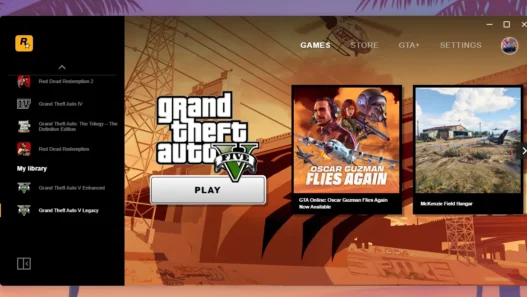
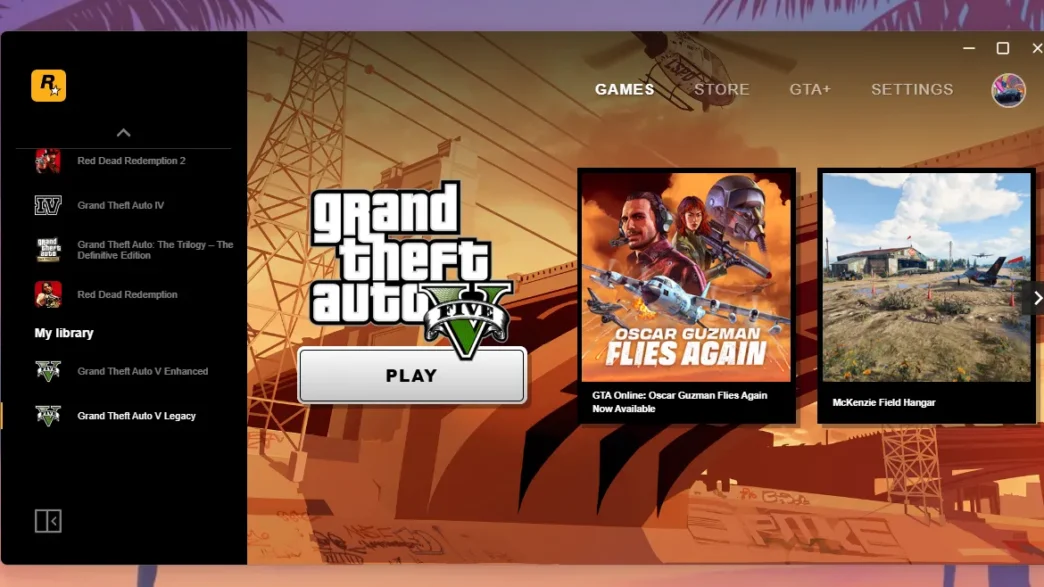
In this guide, you will learn how to solve Grand Theft Auto V (GTA 5) not launching or working errors similar to GTA V enhanced edition without reinstalling GTA 5 on Windows and consoles.
Encountering the GTA 5 not opening error can be frustrating, but it’s a common issue that can occur on PC, Xbox, and PlayStation due to several factors, such as corrupted files, outdated software, or system conflicts.
I will also share a GTA 5 solution file that contains the main files from the GTA V directory, which you can replace to run the game again directly. However, first, please follow the steps below, as they are more stable solutions:
Fixing GTA 5 Not Opening on PC
Here are the best solutions to get you back in the game quickly on the Windows version of Grand Theft Auto V (GTA 5):
- Verify Game Files
The game may fail to open due to corrupted or missing files.- For Steam: Go to your Library, right-click GTA 5, select Properties, then click Verify Integrity of Game Files in the Local Files tab.
- For Epic Games: Open the Library, click the three dots next to GTA 5, and select Verify.
- For Rockstar Launcher: Open the launcher, go to Settings, click on GTA 5, and select Verify Integrity.
- Update Graphics Drivers
Outdated or incompatible graphics drivers are often the cause of the game not launching. Even if you think your display drivers are installed, you should check and update your graphics drivers:- Visit the official website for your GPU (NVIDIA, AMD, or Intel) and download the latest drivers.
- After installation, restart your PC and try launching the game again.
- Run GTA 5 as Administrator
Running the game with elevated permissions can solve access-related issues.- Right-click the GTA 5 executable file, select Run as Administrator, and see if it opens properly.
- Disable Overlay Applications
Apps like Discord, Steam, or GeForce Experience overlays can cause conflicts.- Disable these overlays in the respective application settings, then try launching the game.
- Reinstall Microsoft Visual C++ Redistributable
Corrupted Visual C++ files can prevent the game from opening.- Download the latest Visual C++ Redistributable from the Microsoft website and install them, then reboot your PC.
You may like: How to Install FiveM in GTA 5
Fixing GTA 5 Not Opening on Xbox
Here are steps to quickly solve Grand Theft Auto V (GTA 5) not launching issues on Xbox One, 360, Series S/X:
- Restart Your Xbox
Sometimes, a simple restart can resolve temporary issues that prevent GTA 5 from opening.- Hold the Xbox power button for 10 seconds until the console shuts down, then restart it.
- Clear Cache
Clearing your Xbox’s cache can resolve issues caused by temporary files.- Turn off the console, unplug the power cord for a few minutes, then plug it back in and restart.
- Check for Game Updates
Outdated game versions may cause launch issues.- Go to My Games & Apps, select GTA 5, press the Menu button, and check for available updates.
You may like: How to Open GTA 5 Directory Folder
Fixing GTA 5 Not Opening on PlayStation
Here are steps to quickly solve Grand Theft Auto V (GTA 5) not launching issues on PlayStation 3, 4, and PS 5:
- Restart Your Console
- Turn off the PlayStation and unplug it for 30 seconds, then plug it back in and turn it on again. Try launching GTA 5 after rebooting.
- Check for Game Updates
Ensure the game is updated to the latest version.- Go to Library, select GTA 5, and press Options to check for updates.
- Rebuild Database
Rebuilding the PlayStation database can fix corrupted game data.- Turn off the console, then hold the power button until you hear two beeps to enter Safe Mode.
- Select Rebuild Database and wait for the process to complete, then try opening the game again.
Fixing GTA 5 Launch Error with Solution File (PC)
This method will still require you to verify the integrity of your GTA V game files, but this solution file might still help many users to launch the game.
Notice: After applying this solution, try running the game with Rockstar Games Launcher, Epic Games, or Steam, but make sure to verify the integrity of the game first.
You may like: How to Verify Integrity of GTA Games
What is mirror link? A mirror link is an alternative link if the main download link gets broken.
Looking solution file for an old version of GTA 5, you can find GTA V not working solutions on Game Decide.
GTA V Solution Latest
Here is a solution specifically for GTA 5 Premium Edition on the Rockstar Games Launcher. Before proceeding, it’s important to check the installation first, as issues can arise from incorrect installations.
Installation
- Download file VFIX25_Premium*.
- Extract it with 7zip.
- Copy files from tutorial video.
- Restart your computer.
- Play your game normally.
Download Section
You can download the following file to resolve any issues with the Premium Edition on the Rockstar Games Launcher:
Premium Users
You can download the GTA V Legacy solution file for premium users who own a licensed copy of the game on the Rockstar Games Launcher:
| Version | Files | Mirror Link |
|---|---|---|
| 3889.0 ✅ | Download | Mirror |
| v1.70 – without BattlEye | Download | Mirror |
| v1.69 – with BattlEye | Download | Mirror |
Disclaimer: This above solution is not a crack, it’s for premium Rockstar Games Launcher’s GTA 5 owners only! For free version, visit GTA V not opening page.
Password: 123
Free Users
If you are looking for a fix for the free editions of the GTA V Legacy game, you can access those files via the solution article:
| Version | Files |
|---|---|
| Latest | Download |
Page Last Updated: Friday, 17 July 2026
Installation Video Guide!
For a visual guide on fixing the video, you can refer to this tutorial:
Final Thoughts
The GTA 5 not opening error can be caused by various issues on PC, Xbox, and PlayStation. By following these platform-specific solutions, you should be able to resolve the problem and get back to playing.
![Download and install the [MLO] TWD Saint John Dairy Estate mod for GTA 5, inspired by The Walking Dead – Season 1 with easy installation guide.](https://gtamodder.com/wp-content/uploads/2025/03/Starfox1993_-527x297.webp "[MLO] TWD – Saint John Dairy Estate")
zip pass bata do
i think you are asking for password, it’s
123thanks the game worked