
Lear learn how to add add-on vehicles and DLC Packs in GTA 5 by editing the dlclist.xml file in both Grand Theft Auto V Legacy and Enhanced Edition on PC.
One of the most common steps in installing GTA 5 mods such as add-on vehicles, maps, or custom DLC packs is updating the dlclist.xml file.
If you are playing the Legacy Edition or the latest Enhanced Edition, the process is the same. If you don’t update this file, your mods will not load into the game.
Why dlclist.xml is Important in GTA 5 Modding
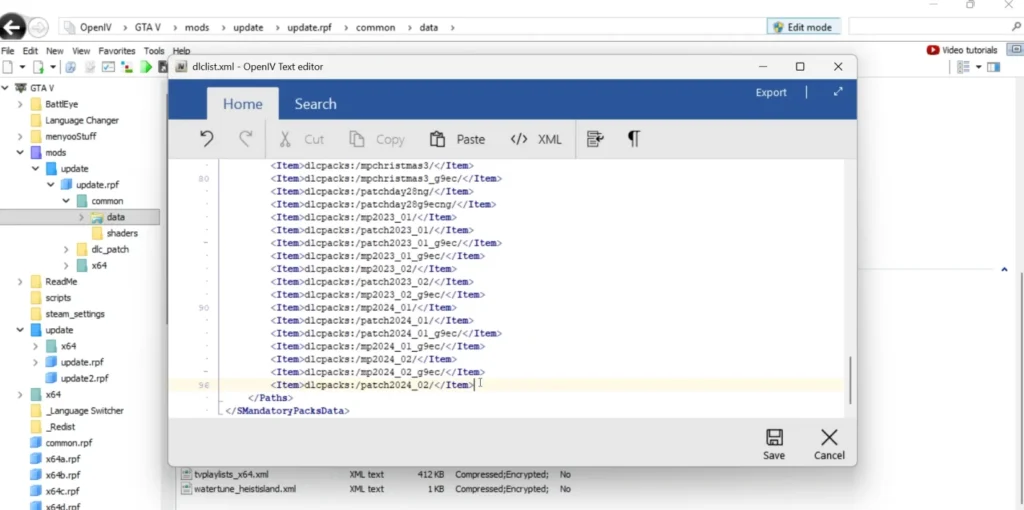
The dlclist.xml file tells GTA 5 which DLC and add-on packs to load when the game starts.
Every time you add a new vehicle, map, or mod pack, you need to add an entry for it inside this file. Without this step, the game will ignore your new files.
You may like: GTA V Custom 100 Vehicles Pack (Add-ons)
How to Add Add-On DLC Packs in dlclist.xml
Here are step-by-step guide on how to copy and edit the dlclist.xml file, where to find it, and how to add your new mod folders correctly:
Step 1: Copy the DLC List Code
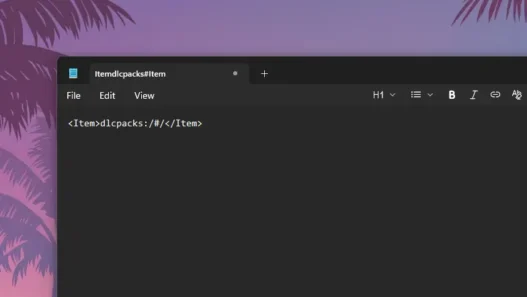
Here’s the code you need to add inside your dlclist.xml file:
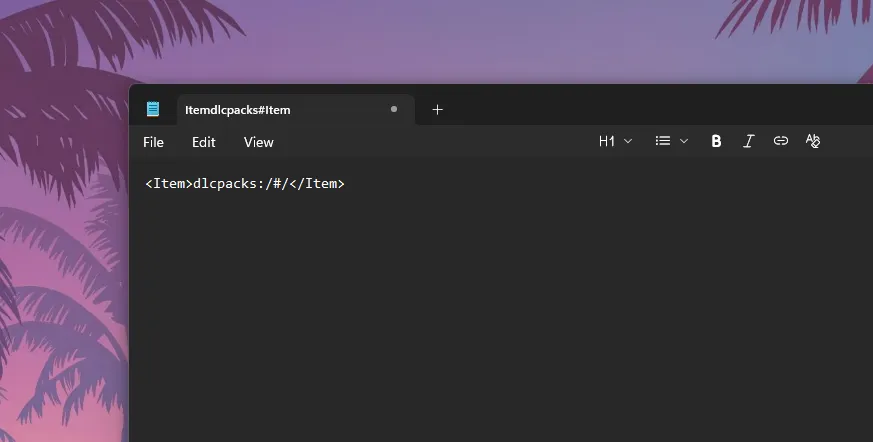
<Item>dlcpacks:/#/</Item>
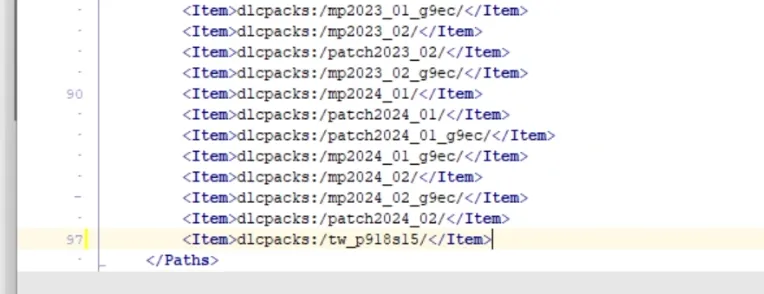
Replace the # with the exact name of the folder you placed inside the DLC Packs folder.
For example, if your vehicle folder is named 918spyder, then your code should look like this:
<Item>dlcpacks:/918spyder/</Item>
⚠️ Make sure the folder name matches exactly, including capitalization, otherwise GTA 5 won’t load the mod.
Step 2: Find the dlclist.xml File
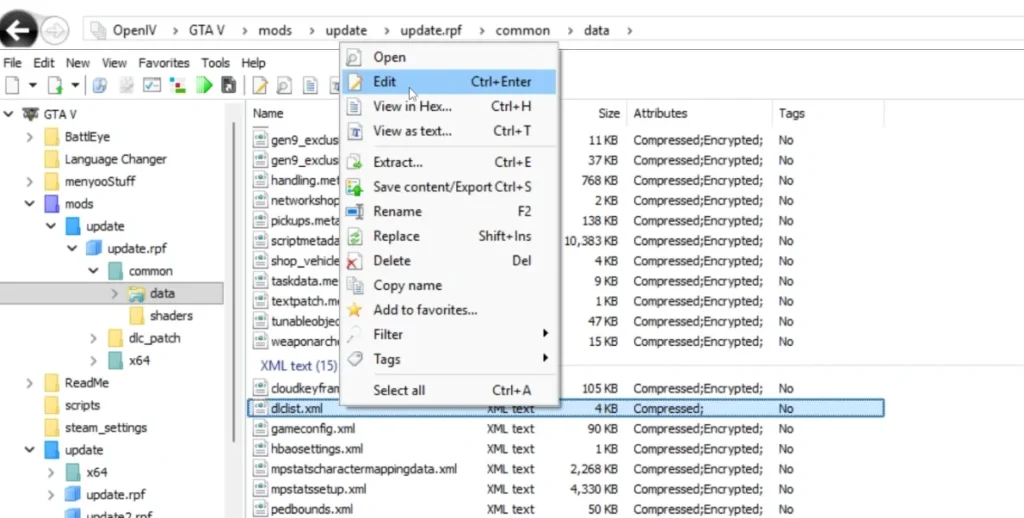
The dlclist.xml file is located inside your GTA 5 installation directory at:
Grand Theft Auto V\update\update.rpf\common\data\dlclist.xml
or: Grand Theft Auto V\mods\update\update.rpf\common\data\dlclist.xml
To edit this file:
- Open OpenIV.
- Turn on Edit Mode (click the button at the top).
- Navigate to the path above.
- Right-click on dlclist.xml and select Edit.
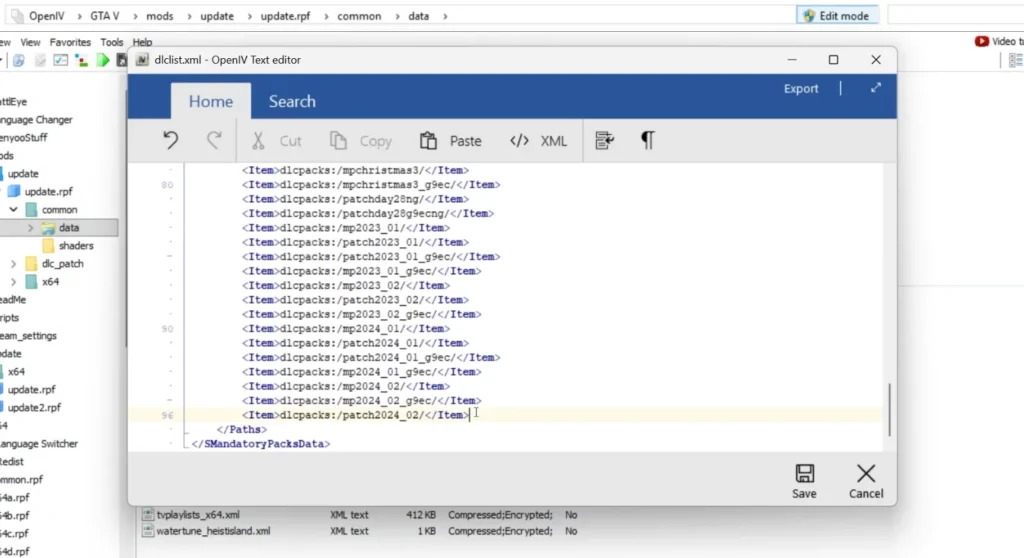
- Scroll to the bottom and paste your new code before the closing
</Paths>tag.
Step 3: DLC Packs Folder Location
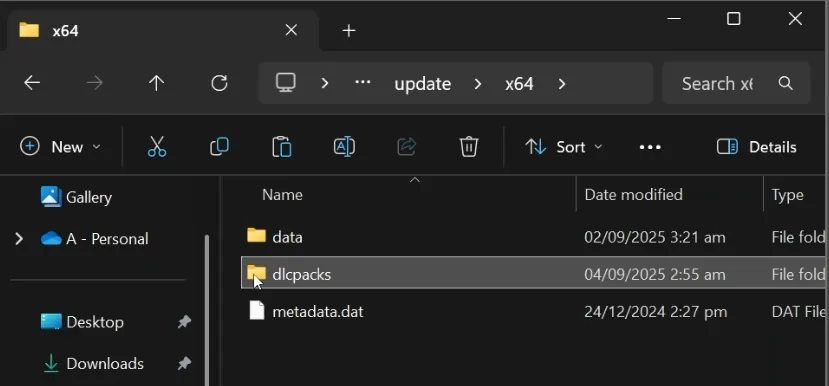
Now, place your mod’s folder inside the correct DLC Packs location:
Grand Theft Auto V\update\x64\dlcpacks\
Each add-on mod (car, map, or pack) should have its own folder inside dlcpacks.
You may like: GTA 5 Enhanced 100% SaveGames
Step 4: Example of Multiple Add-Ons in dlclist.xml
If you’re installing more than one vehicle or DLC pack, your dlclist.xml file may look like this:
<Item>dlcpacks:/918spyder/</Item>
<Item>dlcpacks:/evo9/</Item>
<Item>dlcpacks:/superbike/</Item>
Each line represents a separate mod you’ve installed in your dlcpacks folder.
You may like: Truck Driver Jobs: GTA 5 Mods
Step 5: Save and Test
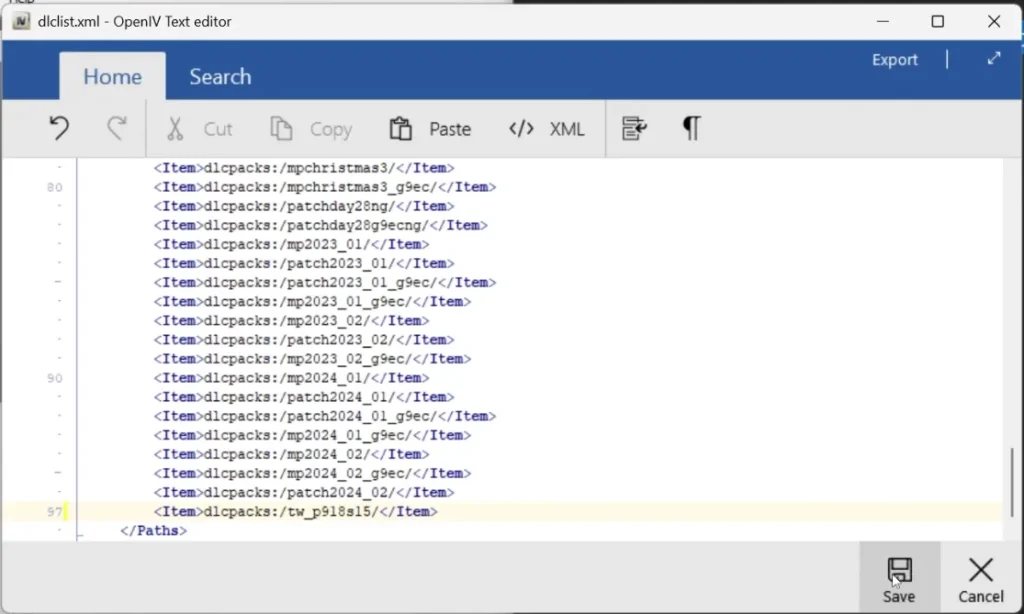
Once you’ve added the correct lines in dlclist.xml and placed the folders in dlcpacks, save your changes and launch GTA 5. Your new add-on car, map, or DLC pack should now be available in the game.
Conclusion
Updating the dlclist.xml file is a required step for installing most add-on mods in GTA 5, whether you’re playing on Legacy Edition or Enhanced Edition.
By copying the correct code, replacing # with your folder name, and placing the folder in the right directory, you can unlock endless customization options in your game.